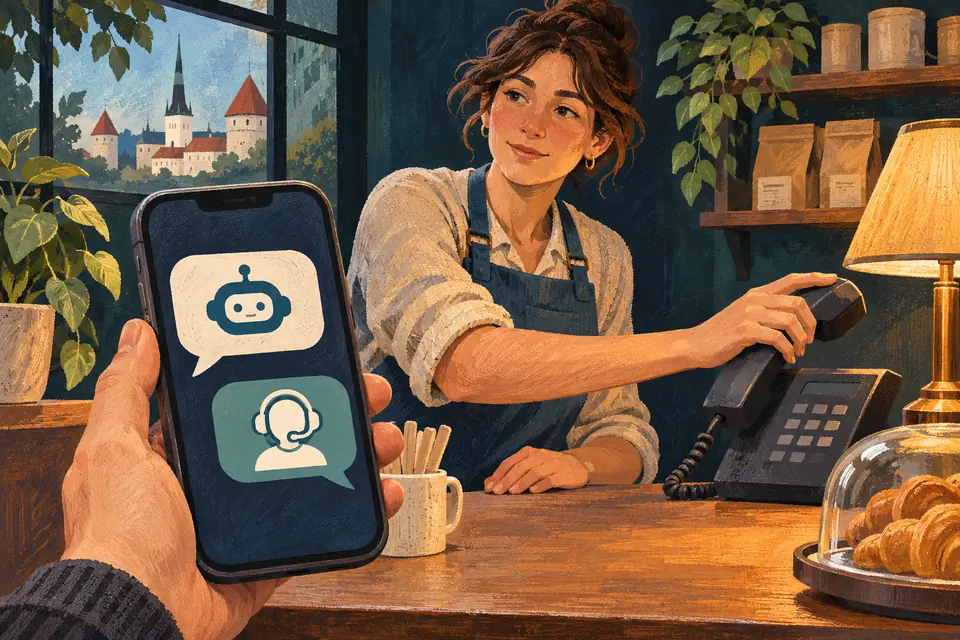
A chatbot takes over the questions your team answers twenty times a day and passes everything else to a person. Here is what it is good for, how it connects to WhatsApp, Messenger, Instagram, Telegram and your website, which platform rules you need to know in advance, and how a beauty salon, a restaurant or a shop can use one.
What a chatbot is and what it does for a small business
A chatbot is a small program that replies to customers in a messaging app or in a chat window on your website. It works with the same messages your staff get today: “Are you open on Sunday?”, “Do you have a slot on Friday?”, “Where is my order?”. The bot answers, asks a couple of clarifying questions and, when needed, hands the conversation to a person.
Broadly, there are two kinds, and most small businesses need the first one or a mix of both. A scripted bot follows a menu you agree on in advance: buttons, short questions, fixed answers. It is predictable and cheap to run. An AI bot uses a language model, the technology behind ChatGPT, to understand questions written in the customer’s own words and to answer from your materials: price list, menu, delivery terms. It is more flexible, but it needs clear limits and checks; otherwise it may answer confidently where it should have said “let me ask a colleague”.
What a bot should do
- Answer repeated questions: opening hours, address, parking, prices from the approved list, delivery and return terms.
- Collect requests in one format: name, contact, service, preferred time, so nobody has to ask again.
- Book, move or cancel an appointment when it is connected to your calendar or booking system.
- Show the status of an order or a booking from your system.
- Pass the conversation to the right person together with its history, so the customer does not have to repeat everything.
What a bot should not do
- Pretend to be a person. Say in the very first message that the customer is talking to a bot and how to reach a human.
- Invent prices, discounts or stock. If the answer is not in your data, the bot hands the question to a person.
- Deal with complaints, refunds and disputes on its own. These need someone with the authority to decide.
- Give medical, legal or financial advice, or collect sensitive data such as health information.
- Send messages to people who did not agree to receive them.
- Customer request
The customer chooses a service or asks a question in their own words.
- Bot checks
The chatbot checks the calendar or looks up an answer in company materials.
- Confirmation or help
The bot confirms a saved booking or passes the question to a team member.
Benefits of chatbots for small business—and what they cost
A bot does not sell for you. Its job is to make sure customers get a quick, correct answer and that requests do not get lost somewhere between the phone, Instagram and a paper notebook. In a small team, that usually shows up in a few places.
- Replies in the evening and at weekends. People write when they have time, not when you are at work. The bot answers the simple part straight away and tells them when a person will reply to the rest.
- Fewer interruptions. A hairdresser with a client in the chair or a waiter during the lunch rush does not have to stop and answer “What time do you close?”.
- Requests in one format. The bot asks the same questions every time, and the request lands in your email, your CRM (the system where you keep customers and deals) or a shared chat with every field filled in.
- Several languages. In Estonia, the same business often serves customers in Estonian, Russian and English. A bot can offer all three from day one.
- Consistent answers. Prices, terms and opening hours come from one approved source, not from whoever happens to be on shift.
There are costs and limits too. Someone has to set the bot up, keep the price list and answers current, and look at what customers actually ask. WhatsApp charges for some types of messages, AI models charge for usage, and connecting a booking system sometimes requires a paid plan. A bot also cannot fix a slow process behind it: if nobody follows up on the requests it collects, customers will be just as disappointed. We cannot promise a specific rise in sales. What you can measure is how many conversations the bot handled on its own, how many it passed to people and at which step customers dropped out.
Chatbot integration: WhatsApp, Messenger, Instagram, Telegram and your website
Every platform has an API, an application programming interface. Put simply, it is the official door through which a program receives messages and sends replies on behalf of your business. The bot itself usually runs on a server, and the platform passes each new message to it. Channels differ in what you need to connect them and in who is allowed to write first.
The free WhatsApp Business app on your phone has greeting messages, away messages and quick replies, but it is not designed for a bot that checks your calendar. For that you need the WhatsApp Business Platform: Meta’s Cloud API, connected directly or through a provider. You will need a Meta business portfolio (your company’s business account with Meta), a phone number registered on the platform and a payment method for paid messages. WhatsApp works well for confirmations and reminders to customers who already use it, but its rules are the strictest (see below).
Facebook Messenger
A Messenger bot works on behalf of a Facebook Page. A Page administrator connects an app to the Page and gives it access to messages. Messenger makes sense if customers already write to your Page.
Messaging through the API is available only to an Instagram professional account (business or creator). It can be connected through Instagram login, without a Facebook Page, or through a Facebook Page linked to the account. Instagram is where a salon or a café shows its work, so a bot is useful here for questions under posts and in Direct: price, free slots, address.
Telegram
A Telegram bot is created in a few minutes in the official @BotFather chat, and registering it is free. Customers find the bot by its username, a t.me link or a QR code at the till, and tap Start. Telegram gives the most freedom with buttons, menus and mini apps, and it is a good choice if your customers already use it.
Chat on your website
A chat window on your own site is fully under your control: no platform windows, no Meta message fees and your own design. The downside is that the conversation lasts only while the visitor is on the page, so the bot should ask for a contact before the customer leaves, or offer to continue in WhatsApp or Telegram.
One scenario and one set of answers can serve several channels at once, but each channel has its own rules. For a first launch it is usually better to pick the channel where most customers already write to you and add the others later.
| Channel | Who writes first | Free-form replies | What you need |
|---|---|---|---|
| The customer, or the business with the customer’s consent and an approved template | 24 hours after the customer’s last message | A Meta business portfolio, a number on the Business Platform, a payment method | |
| Messenger | The customer | Usually 24 hours; a person may reply within 7 days | A Facebook Page and an app with access to messages |
| The customer; a comment allows one private reply | Usually 24 hours; a person may reply within 7 days | A professional account | |
| Telegram | Only the customer (Start button or a message) | No time window, but speed limits | A bot created in @BotFather |
| Website chat | The visitor | As you set it up | A chat widget, a privacy notice and a place to store requests |
Platform API limits and rules to know before launch
Most surprises after launch come from platform rules, not from the bot. Below is what matters most for a small business; we checked it against the platforms’ own documentation in November 2026. The rules change regularly, so check them again before a mailing or a new campaign.
WhatsApp: the 24-hour window, templates and fees
- When a customer writes to you, a 24-hour customer service window opens, and every new message from them restarts the clock. Inside the window the bot can reply freely. Outside it, you can send only templates: pre-written messages that Meta reviews and approves before use. Templates are marketing, utility (for example an appointment reminder) or authentication messages.
- Meta charges for each delivered message sent by the business; messages from customers are free. Templates are paid, and the rate depends on the category and the recipient’s country. Since 1 October 2026, ordinary replies inside the window are free up to 1,000 messages a month per business number and paid after that, according to the WhatsApp Business Platform pricing page.
- You may write only to people who gave you their number and agreed to receive messages from you, and you must honour every request to stop. If you use automation, customers need a quick, clear way to reach a person: a hand-over to an agent in the chat, a phone number, email or a visit to the shop. That is a requirement of the WhatsApp Business Messaging Policy. Alcohol, tobacco, medicines and some other goods are restricted categories.
- A new business can write outside the window to a limited number of people a day: Meta starts new business portfolios at 250 unique recipients in 24 hours. The first step towards a higher limit is verifying your business.
- Meta’s terms for the WhatsApp Business Platform prohibit using it to offer general-purpose AI assistants when the AI itself is the main product. A bot that answers questions about your own salon or shop and hands over to staff serves your business, but Meta has the final say, so keep the bot to your own topics.
Messenger and Instagram: 24 hours and the HUMAN_AGENT tag
- On both platforms the business replies after the customer has written, and for most user actions the window lasts 24 hours. Under the Messenger Platform and Instagram Messaging API policy, the HUMAN_AGENT tag gives a separate 7 days for replies typed by a person. To use it, the app must pass Meta’s review and the business must be verified.
- Since April 2026 Meta has switched off the old Messenger tags for event reminders, account changes and purchase updates. Do not plan reminders and order notifications through Messenger without checking the current options; WhatsApp templates, SMS or email are often simpler.
- On Instagram, a comment under a post lets the bot send one private reply within 7 days of the comment. The conversation can continue only if the person answers, and then within 24 hours of that answer (Meta’s documentation on private replies). Messages from people who do not follow you land in the Requests folder.
Telegram: the customer always writes first
- Telegram bots cannot start a conversation: a person has to open the bot and tap Start, or write first. You cannot upload a list of phone numbers and message them.
- After that there is no 24-hour window, but there are speed limits: no more than about one message per second in a single chat, 20 messages a minute in a group and about 30 messages per second for a mass mailing. For a small business this only matters for large mailings.
- Users can block the bot at any time, so keep mailings rare and useful.
Website chat: your rules and your responsibility
No platform sets limits on your own site, which also means every obligation is yours: a privacy notice, a cookie consent banner if the chat uses tracking, secure storage of conversations and a clear way to reach a person.
Practical chatbot examples: beauty salon, restaurant and shop
The examples below are typical scenarios, not reports about specific clients. They show where a bot helps, what is better left to people and which channel usually fits.
Beauty salon
- The bot shows services and prices from the approved price list, finds free slots in the booking system, books, moves or cancels an appointment and sends a confirmation.
- The day before the visit it sends a reminder: in WhatsApp with an approved utility template to clients who agreed to it, or in Telegram if the client started the bot.
- It answers questions about the address, parking and how long a treatment takes, and after the visit it can send a link for a review.
What stays with people: choosing a treatment when the client is unsure, colour corrections and other non-standard work, questions about allergies and skin conditions (that is health data, which a bot should not collect), complaints, and regular clients who would rather talk to their own stylist. Channel: on Instagram clients see the work and ask the first question; WhatsApp or Telegram suit confirmations and reminders.
Restaurant
- The bot takes table reservations within agreed rules (number of guests, time slots, how long a table is held) and confirms them.
- It sends the current menu, opening hours and allergen information from the approved menu card, and links to takeaway ordering if you offer it.
- For group dinners and events it collects the date, number of guests and wishes and passes the request to the manager.
What stays with people: banquets and large parties, special requests, complaints, and any guest with a serious allergy, who should confirm the dish with a member of staff. Channel: website chat and Instagram for questions, WhatsApp for confirming a booking, Messenger if guests already write to your Facebook Page.
Shop and online store
- The bot checks whether a product is in stock and in which shop, if it is connected to your stock records.
- Given an order number, it shows the order status and delivery options, including parcel lockers and pickup.
- It explains return and exchange terms and takes a return request with the order number and reason.
What stays with people: advice that needs real product expertise, warranty claims, disputes about payments or returns, and wholesale orders. Channel: website chat for online shoppers, Messenger and Instagram for questions from social media, WhatsApp for order notifications by template, each of which Meta charges for.
How to launch a chatbot: scope, content, handover and GDPR
- Pick one scenario. Go through last month’s messages and find the question that comes up most often: bookings, opening hours, order status. Start with that one route and one channel.
- Prepare the content. A bot is only as accurate as its sources: an up-to-date price list or menu, opening hours, delivery and return terms, and answers to the ten most common questions. Decide who updates them when something changes.
- Plan the handover to a person. Decide when the bot passes the conversation on (the customer asks for a person, the question is not in the materials, a complaint), who receives it, during which hours, and what the bot says outside working hours. The person should see the conversation history.
- Take care of personal data. Under GDPR, the EU General Data Protection Regulation, collect only what the request needs, explain in the first message or by a link who processes the data and why, decide how long conversations are kept, and send marketing only with consent. Meta, Telegram and the AI provider process the data too, so choose settings and contracts with that in mind.
- Be open that it is a bot. Say so in the first message. The EU AI Act also requires that people be told they are interacting with an AI system unless that is obvious.
- Test and measure. Before launch, run the scenario with real questions from your staff. After launch, review conversations once a week: where people stopped, what the bot could not answer, how many conversations reached a person.
The rules of WhatsApp, Messenger, Instagram and Telegram change several times a year. Before you plan a mailing or a new type of notification, check the current terms or ask the team that maintains your bot.
What a chatbot costs and how to order one from TBC
The price depends on the scope: how many routes the bot has, which channels and systems it connects to and whether it uses AI. On our AI chatbots page, a simple bot with one short route that passes on the request starts from €90, and a business bot that collects the agreed details and hands the conversation to an employee starts from €250. Prices exclude VAT and cover an agreed small scope; extensions, the platforms’ and AI providers’ own fees, and support are paid separately.
We work in four steps. You send a few typical customer questions without personal data and tell us who answers them today. We suggest a channel and sketch the first conversation free of charge, then fix the scope, price and acceptance criteria. We build the bot, check a test request together with you and show your team how to take over a conversation and update the answers. After launch we go through the first requests and refine the wording.
Building the bot is ordered as a separate service. The TBC subscription covers what comes after launch: it is a monthly service plan that includes hours of IT consulting and website support. You can spend them on changes to the bot, such as updating prices and answers, adding a step to the scenario or finding out at which question customers drop out; the website support hours are especially useful if the bot runs in a chat on your site. All plans also include promotional posts, and from BUSINESS upwards, short videos and social media management.
| Service | START | BUSINESS | PREMIUM |
|---|---|---|---|
| Website support | 1 hr | 2 hr | 4 hr |
| Advertising posts | 1 | 2 | 4 |
| Short videos | — | 1 | 2 |
| Video interviews | — | — | Once every 3 months |
| IT consultations | 0.5 hr | 1 hr | 2 hr |
| Social media promotion | — | 1 channel | Up to 2 channels |
| Company directory listing | Included | Included | Included |
| Monthly report | Summary | Summary | Detailed report |
You can subscribe for 1, 6 or 12 months. Prices and volumes are preliminary; the final terms are set in the contract. If a longer term comes with a discount, the subscriptions page shows it when you choose the term.
Ready to start? Order chatbot development for the scenario that takes up most of your team’s time, choose a TBC subscription so that someone looks after the bot after launch, or write to us and describe your business in a couple of sentences. We will tell you where a bot makes sense and where it is better to keep a person.